Counter & Cashier
Keep every counter and every cash drawer under control with Run On Web—track each cashier's sales, cash movements, and closing balance shift by shift.
Simplify Your Cash Handling
Set up your billing counters, open a shift for each cashier, and close it with an accurate cash count, so no amount goes unchecked.
Key Features of Counters & Cashier Shifts
1. Counter Setup
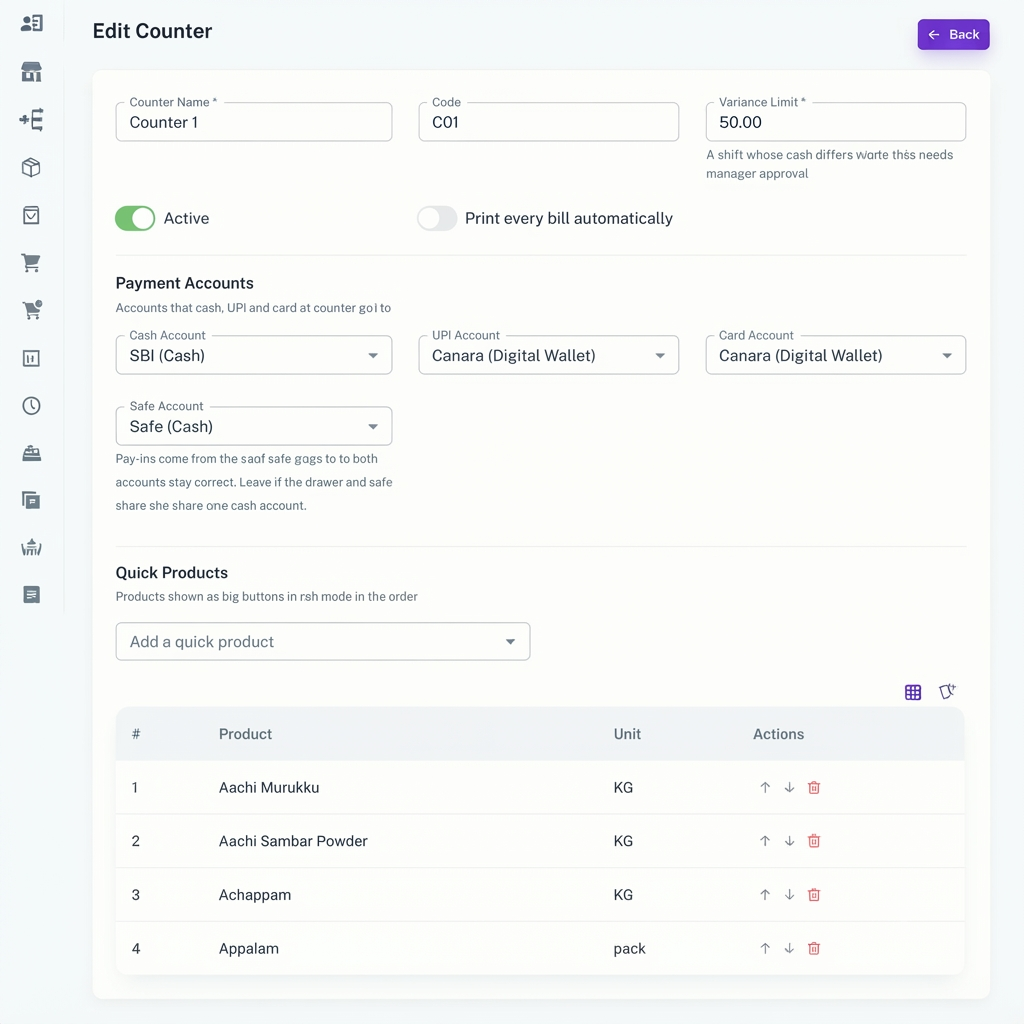
Create billing counters with a name, code, and active status, and link each counter to its own cash account.
2. Variance Limit
Set an allowed cash difference for each counter, so you can easily spot shifts that close with a mismatch.
3. Quick Products
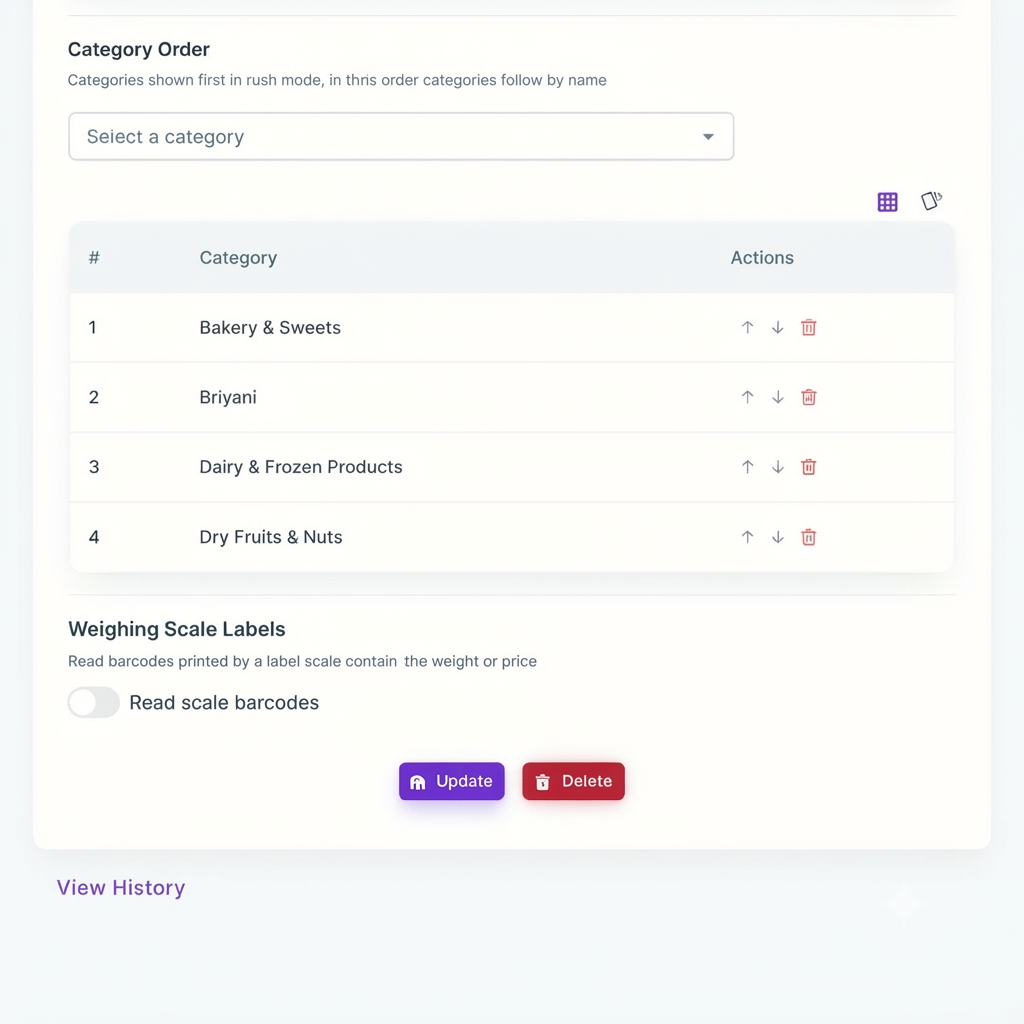
Add your fast-moving products to a counter as quick products, so cashiers can bill them with a single click.
4. Opening Cash Count
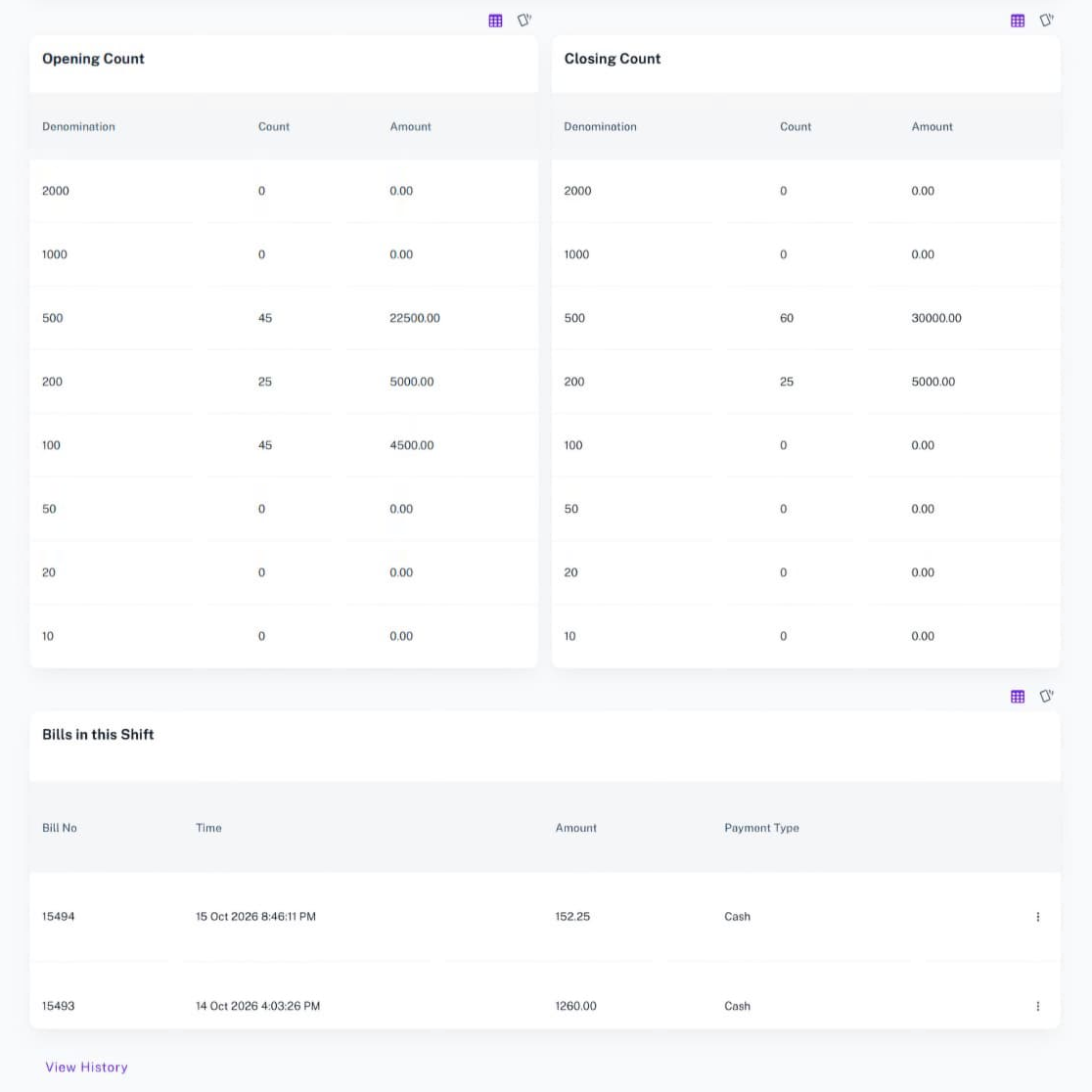
Start every shift by recording the cash in the drawer by denomination, so the opening balance is clear and agreed.
5. Shift Details
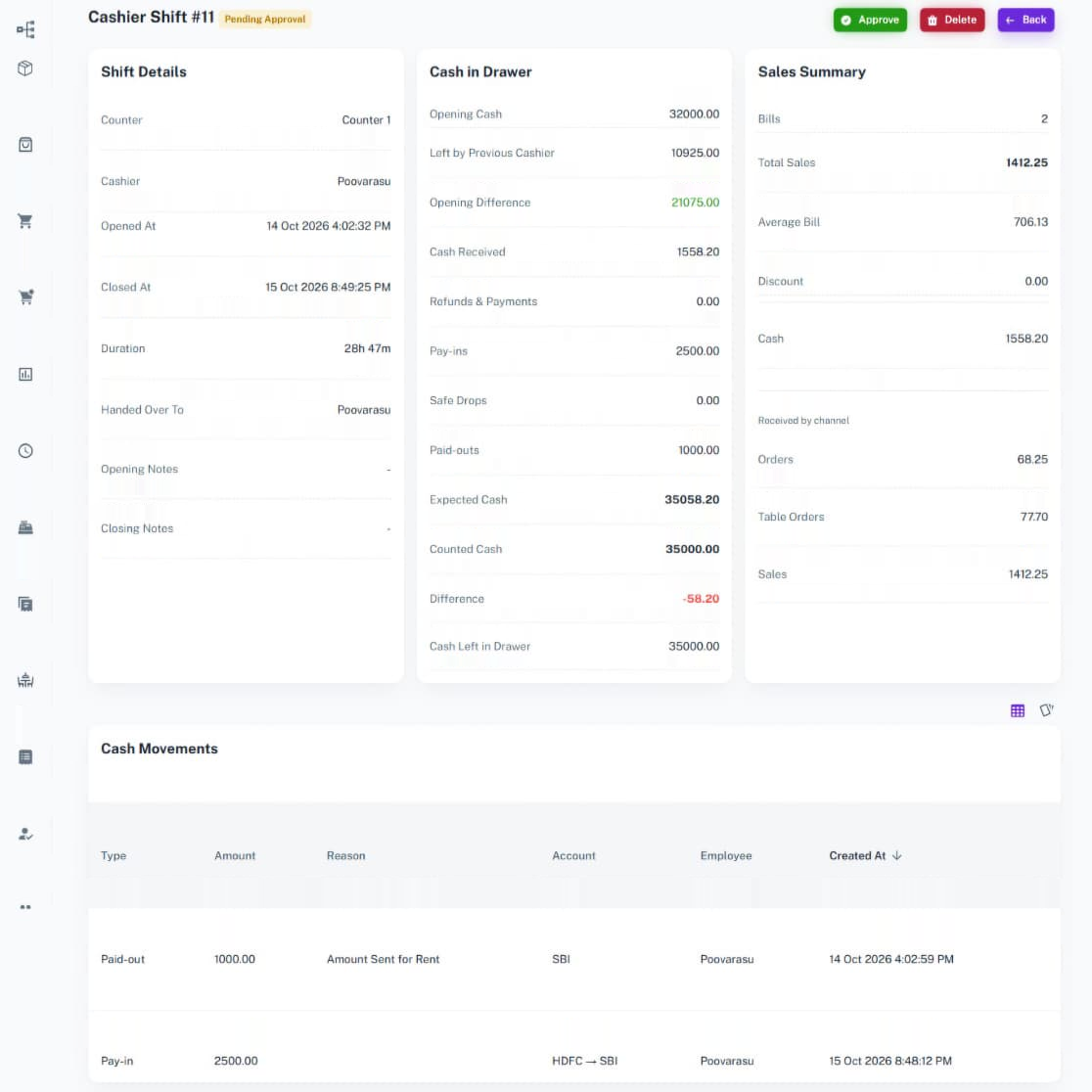
See the counter, cashier, opening time, closing time, duration, handed over cashier, and notes of every shift in one place.
6. Cash in Drawer
Track opening cash, cash received, refunds and payments, pay-ins, safe drops, and paid-outs, along with the expected cash in the drawer.
7. Shift Sales Summary
View the bills, total sales, average bill, discount, and cash collected in the shift, with the amount received by each channel.
8. Cash Movements
Record pay-ins, paid-outs, and safe drops during the shift, choosing the accounts and adding a reason for every movement.
9. Bills in This Shift
See every bill created during the shift with its time, amount, and payment type.
10. Closing Cash Count
Count the cash by denomination when you close the shift. The expected amount is shown only after the shift is closed, so the count stays honest.
11. Cash Difference Check
Compare the expected cash with the counted cash and see the difference right away, so every mismatch is caught.
12. Shift Handover
Enter the cash left in the drawer for the next cashier, choose who the shift is handed over to, and add closing notes.
13. Shift History
Open the View History link to look back at earlier shifts and review how each cashier performed.
How It Works
1. Create a Counter
Open Counters, click the 'New Counter' button, and enter the counter name, code, variance limit, cash account, and quick products.
2. Open a Shift
Click the 'Cashier Shifts' button, open a shift on a counter, and enter the opening cash count by denomination.
3. Bill and Record Cash Movements
Create sales during the shift. Use the 'Add Cash Movement' button to record any pay-in, paid-out, or safe drop.
4. Close the Shift
Click the 'Close Shift' button, count the cash by denomination, enter the cash left in the drawer, and choose who the shift is handed over to.
5. Review the Shift
Check the expected cash, counted cash, and difference in the shift details, and use View History to see earlier shifts.
Benefits of Counters & Cashier Shifts
1. Accurate Cash Control
Know exactly how much cash should be in the drawer, with every sale and cash movement recorded.
2. Cashier Accountability
Every shift is linked to a cashier, so you can see who handled the cash and how they performed.
3. Faster Billing
Separate counters and quick products help cashiers bill customers faster, even during busy hours.
4. Easy Handover
The cash left in the drawer and the handover details are recorded, so the next cashier starts with a clear balance.
Take Full Control of Your Cash Drawer
Counters and cashier shifts make every rupee accountable, so your cash handling stays accurate and you can focus on growing your business.



















