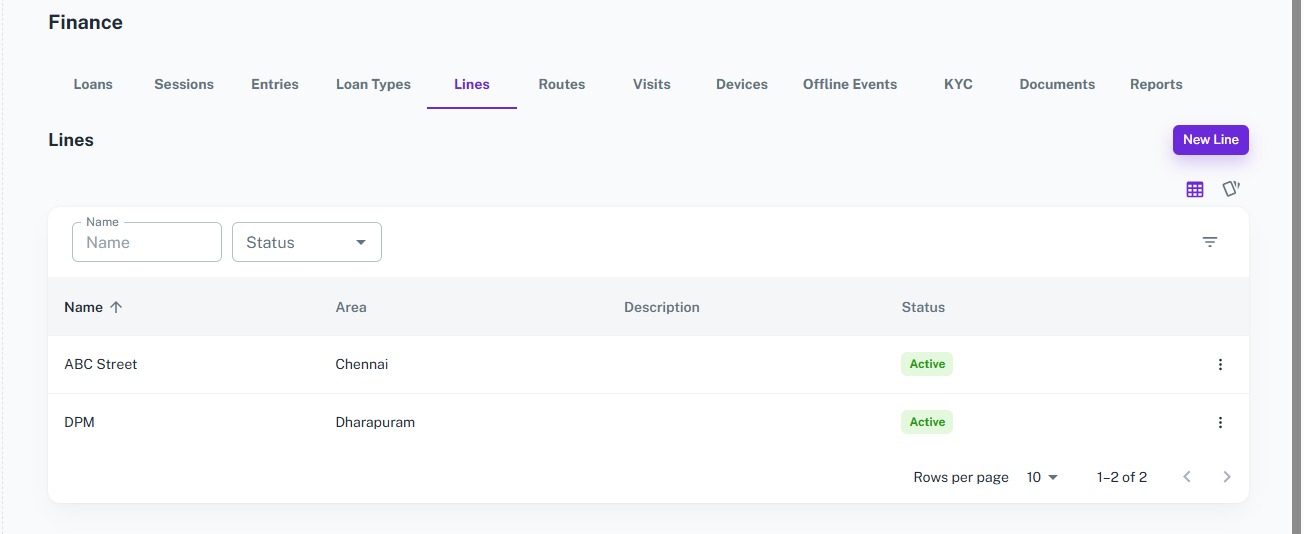
Lines
The Line Management module helps organize collection areas by creating and managing collection lines. Each line represents a specific collection area or locality, making it easy to group customers, assign routes, and streamline daily field collection operations.
Key Highlights of Line Management
1. Create Collection Lines
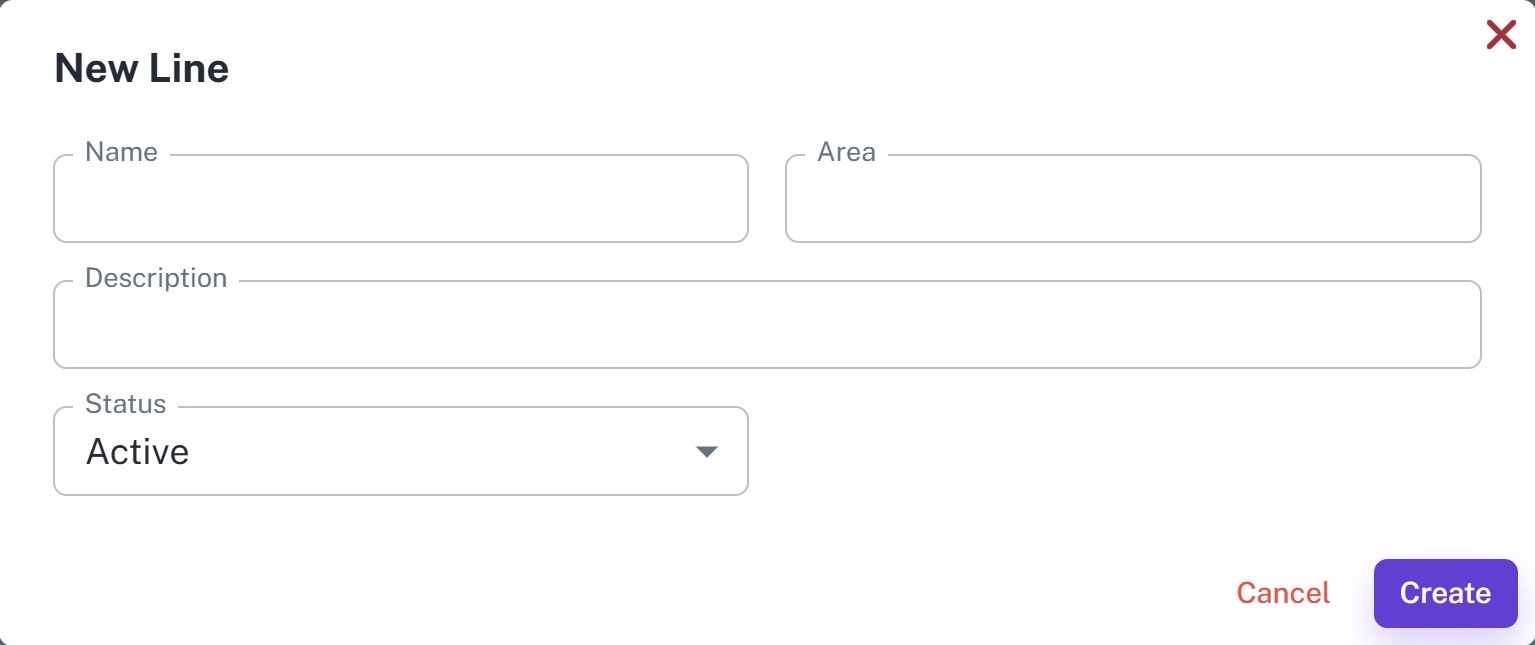
Create collection lines by entering the line name, area, description, and status.
2. Organize Collection Areas
Group customers into different collection areas for better planning and efficient field operations.
3. Manage Line Information
Update line details, descriptions, and status whenever required.
4. Search & Filter
Quickly search and filter collection lines by name or status.
5. Active & Inactive Status
Enable or disable collection lines without deleting historical records.
Create Line
Overview
Create collection lines to organize customers based on their geographical area or collection zone. Lines are later used while creating collection routes for field agents.
Key Highlights
- Create collection lines
- Define collection areas
- Add descriptions
- Manage line status
- Organize customer locations
How It Works
- Enter the Line Name.
- Enter the Area.
- Add a Description.
- Select the Status.
- Click Create.
Workflow
The manager creates a collection line by entering the line name, area, description, and status. Once created, the line becomes available for assigning collection routes to field agents.
Lines List
Overview
View and manage all collection lines from a centralized dashboard. Search, filter, edit, and monitor line information from one place.
Key Highlights
- View all collection lines
- Search by line name
- Filter by status
- Edit line details
- Manage active and inactive lines
How It Works
- Open the Lines Dashboard.
- Search by line name or filter by status.
- View line information.
- Edit or update line details when required.
Workflow
Managers use the Lines Dashboard to organize collection areas and maintain line information. Well-managed lines simplify route planning and improve field collection efficiency.