Loan Collection
The Loan Collection module helps lenders, microfinance institutions, and collection teams record repayments, manage daily collection sessions, and monitor every payment with complete accuracy. Create collection entries, organize daily collection sessions, track repayment history, and monitor outstanding balances from a centralized dashboard. Every payment is automatically linked to its loan, ensuring real-time loan status and accurate repayment records.
Key Highlights of Loan Collection
1. Create Collection Entries
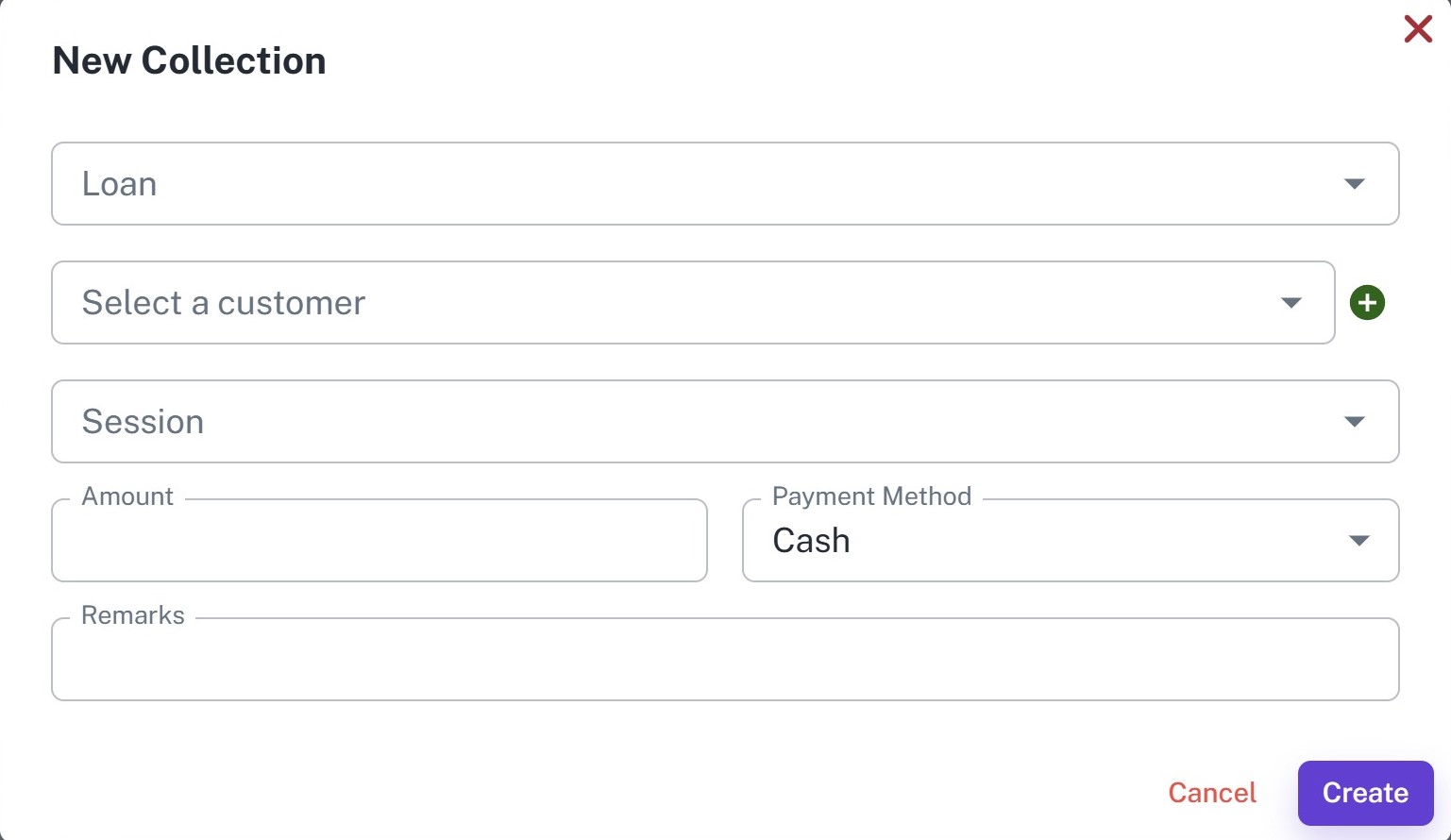
Record customer loan repayments by selecting the loan, customer, collection session, payment amount, and payment method. Every payment is instantly reflected in the corresponding loan repayment schedule.
2. Daily Collection Sessions
Organize daily collection activities by creating collection sessions before field collections begin. Record opening cash, collect repayments throughout the day, and reconcile closing cash when the session ends.
3. Collection Dashboard
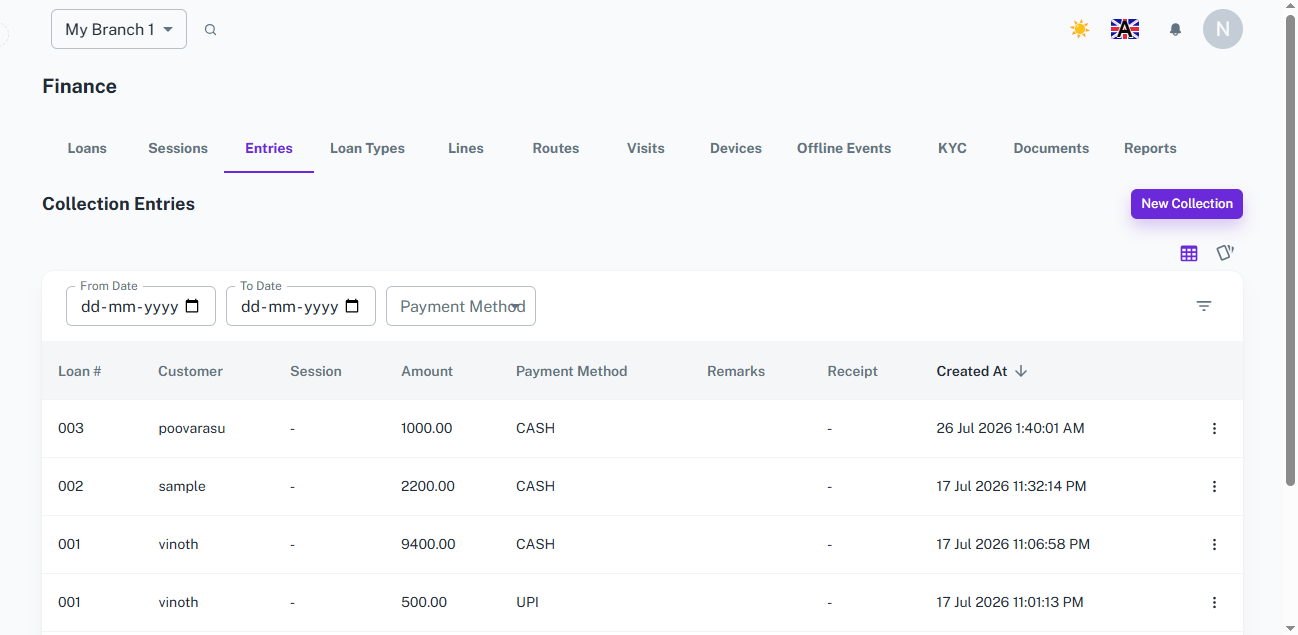
Monitor all loan repayment entries from a centralized dashboard. Search, filter, and review collections by date, payment method, customer, or loan number while maintaining complete repayment records.
4. Real-Time Repayment Updates
Every collection entry automatically updates the corresponding loan balance, repayment schedule, installment status, and outstanding amount without manual calculations.
5. Complete Collection History
Maintain a complete history of every repayment including collection date, payment amount, payment method, session details, remarks, and receipt information for future reference and auditing.
Create Collection Entry
Overview
Record customer loan repayments quickly and accurately. Every collection is linked to the appropriate loan and collection session, ensuring repayment schedules and outstanding balances are updated automatically.
Key Highlights
- Record loan repayments
- Select customer and loan
- Assign collection session
- Enter repayment amount
- Choose payment method
- Add remarks for reference
- Automatic loan balance and repayment schedule update
How It Works
- Open the collection entry form.
- Select the Loan.
- Select the Customer.
- Choose the active Collection Session.
- Enter the repayment amount.
- Select the payment method.
- Add remarks if required.
- Click Create to record the repayment.
Workflow
The collection officer selects the customer's loan, chooses the active collection session, enters the repayment amount, and records the payment. Once saved, the system automatically updates the loan balance, repayment schedule, installment status, and payment history in real time.
Collection Sessions
Overview
Collection Sessions help organize daily loan collection activities. A session represents a working period during which collection officers receive payments from customers. Sessions simplify cash reconciliation and maintain accurate daily collection records.
Key Highlights
- Create daily collection sessions
- Organize field collections
- Track opening and closing cash for reconciliation
- Monitor session collections
- Assign collection dates
- Support multiple sessions
- Maintain complete session history
How It Works
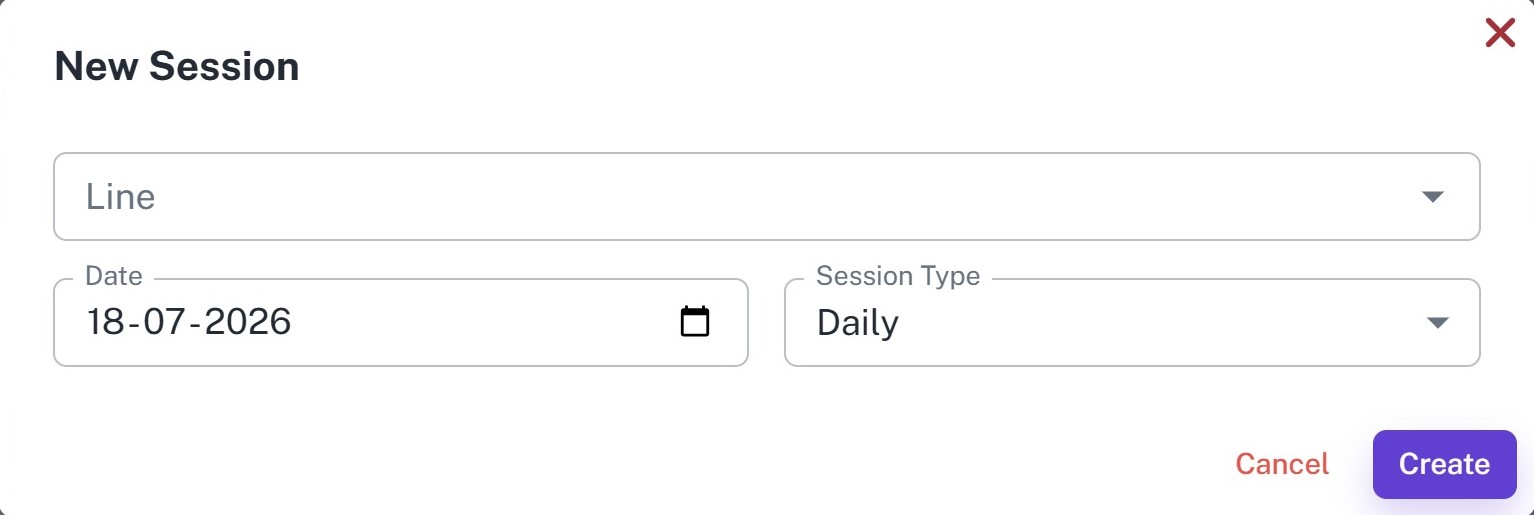
- Create a new collection session, selecting the collection line or route.
- Choose the session date and session type.
- Record the opening cash amount.
- Collect repayments during the session.
- Record the closing cash amount and close the session.
Workflow
Before starting daily collections, the collection officer creates a session and records the opening cash amount. Throughout the day, all customer repayments are recorded under that session. Once collections are completed, the closing cash is entered and the session is closed, providing a complete summary of collections and cash reconciliation.
Collection Entries
Overview
Monitor every repayment recorded across all loans from a centralized collection dashboard. View payment history, search collections, filter transactions, and review repayment details with complete transparency.
Key Highlights
- View all repayment entries
- Search by Loan Number or Customer
- Filter by date range
- Filter by payment method
- Track repayment amounts
- View collection session details
- Access payment history
- Monitor daily collections
How It Works
- Open the Collection Entries Dashboard.
- Filter collections by date range or payment method, or search using Loan Number or Customer Name.
- Review repayment amounts and payment methods.
- Open individual entries for complete payment information.
Workflow
Managers use the Collection Entries Dashboard to monitor all recorded repayments from a single screen. The dashboard provides quick access to customer payments, collection sessions, payment methods, remarks, and repayment history, making it easy to track daily collections and verify loan repayments.
How It Works
1. Create a Collection Session
Before starting daily collections, create a new session by selecting the collection line, session date, and session type. Record the opening cash amount to begin the collection process.
2. Record Customer Repayments
As customers make repayments, create collection entries by selecting the loan, customer, active session, repayment amount, and payment method.
3. Automatic Loan Updates
Every recorded payment automatically updates the corresponding loan balance, repayment schedule, installment status, and outstanding amount in real time.
4. Monitor Collection Performance
Managers monitor daily collections, repayment history, payment methods, active sessions, and outstanding balances through the Collection Entries Dashboard, ensuring accurate tracking of every repayment from collection to reconciliation.
Workflow
The collection officer starts the day by creating a Collection Session and recording the opening cash amount. As customers make loan repayments, each payment is recorded under the active session by selecting the loan, customer, payment amount, and payment method. The system automatically updates the loan balance and repayment status in real time. At the end of the day, the session is closed by entering the closing cash amount, ensuring accurate cash reconciliation and a complete collection history.



















