Restaurant Store
The Restaurant Store module keeps your ingredients moving efficiently between the store and the kitchen. Issue products for daily use, track consumption, and return unused items — all recorded and auditable, with nothing slipping through the gaps.
Overview
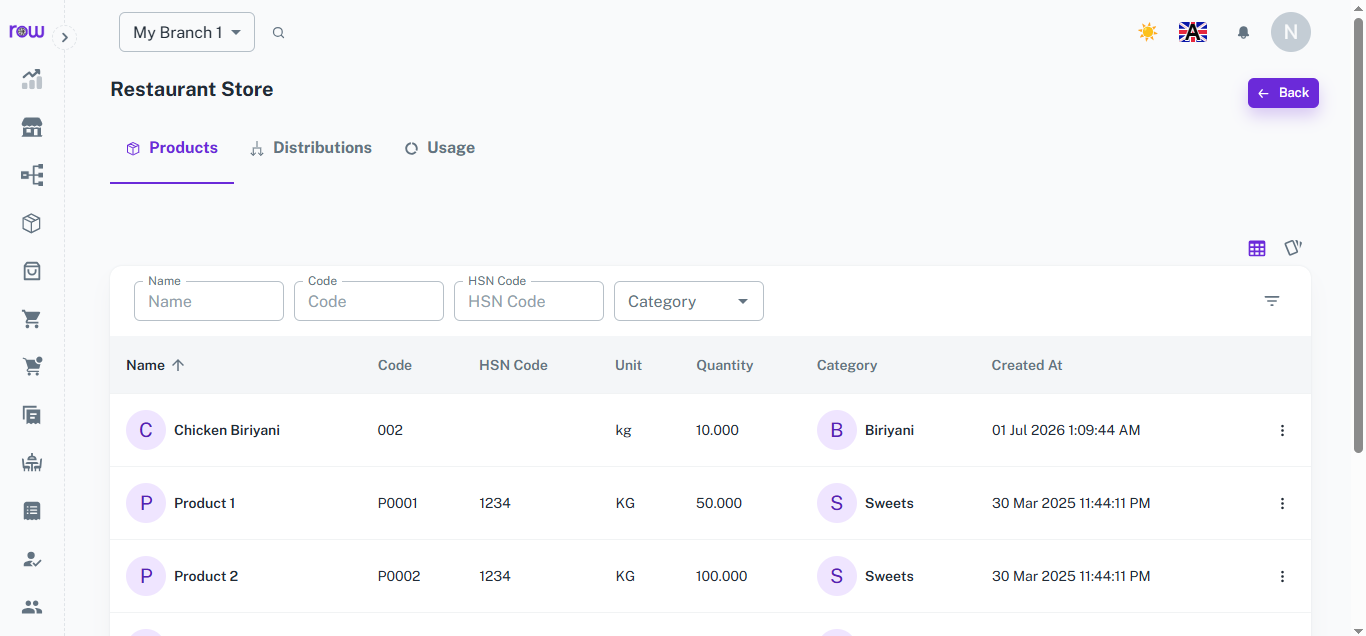
In the Restaurant Store Module, you can manage the flow of products between the store and the kitchen. This includes issuing products for kitchen usage and returning unused items back to the store.
Key Features
-
The module contains three main tabs: Products, Distributions, and Usage.
-
Products Tab
- Displays all available products in the store.
- Table Columns:
- Name – Product name
- Code – Unique product code
- Unit – Measurement unit (e.g., kg, liter, piece)
- Quantity – Available stock quantity
- Category – Product category or group
-
Distributions Tab
- Shows a record of all product distributions and returns between the store and the kitchen.
- Table Columns:
- Date – Distribution or return date
- Kitchen – Kitchen name or department
- Section – Kitchen section or area
- Distributed By – Person who issued the items
- Received By – Person who received the items
- Type – Transaction type (Distribution or Return)
- Products (Quantity) – List of products with quantities
- At the top of the table, there are two buttons: New Distribution and New Return.
- New Distribution Form: Used when products are issued from the store to the kitchen.
- Date
- Distributed By
- Received By
- Select Kitchen
- Select Section
- Select Products (with quantity)
- New Return Form: Used when unused products are returned from the kitchen to the store.
- Date
- Returned By
- Received By
- Select Kitchen
- Select Section
- Select Products (with quantity)
-
Usage Tab
- Displays the overall usage of products in the kitchen.
- You can filter the usage details by Kitchen, Day, Week, or Year.
- Helps analyze product consumption trends, monitor wastage, and plan inventory efficiently.
-
Workflow Summary
- Store issues products using the New Distribution form.
- Kitchen uses the received products; usage is recorded in the Usage Tab.
- Unused items are returned using the New Return form.
- All records are tracked for stock accuracy and audit purposes.
Kitchen
Overview
The Kitchen module connects the service area with the back-end staff. Once orders are placed, they are automatically routed to the correct kitchen based on product mapping. Kitchen staff can track items, mark them as prepared, and notify waiters in real-time.
Key Features
-
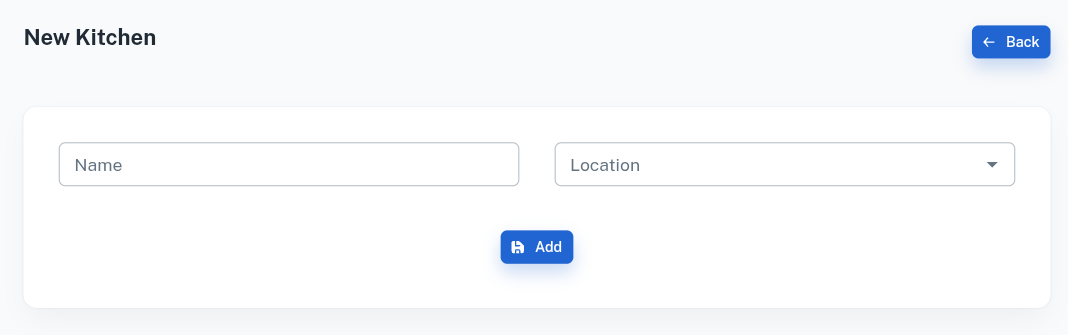
Kitchen Setup – Add multiple kitchens with fields like Name and Location for proper segregation (Main Kitchen, Bakery, Bar, etc.).
-
Dashboard – View live orders with table info, customer details, and cooking status in real-time.
-
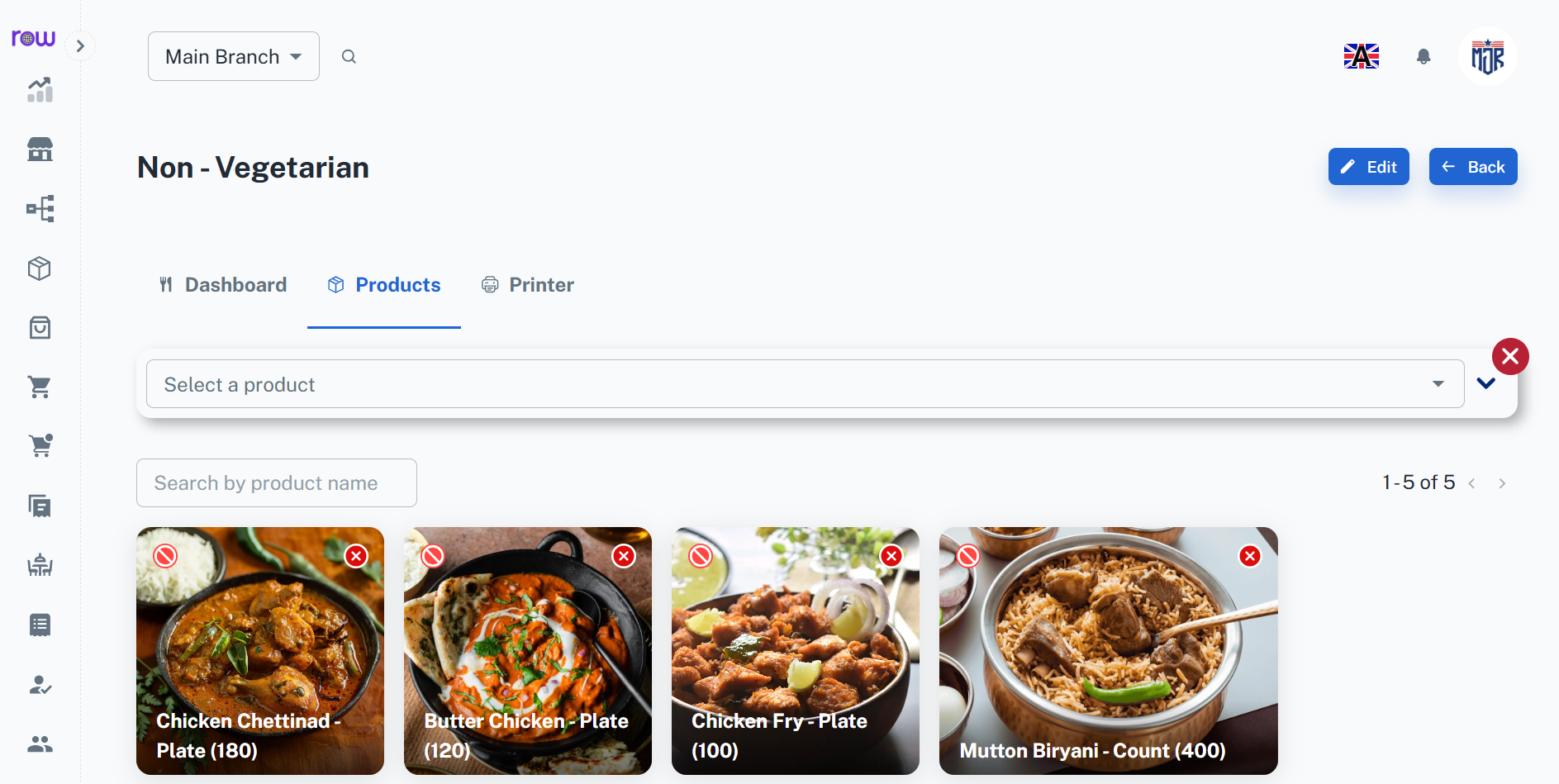
Product Mapping – Assign specific products to kitchens so that items are sent to the right cooking area.
-
Order Actions – Orders are automatically routed to the assigned kitchens, where kitchen staff can accept, decline, or mark dishes as ready, instantly notifying the server.
-
Ready Notification – Once items are cooked, the chef clicks Ready, instantly notifying the waiter to serve.
-
Printer Integration – Orders are automatically printed in the respective kitchen for faster processing.
-
Improved Coordination – Reduces delays, minimizes errors, and ensures better communication between waiters and chefs.
Workflow
The store issues products to the kitchen using the New Distribution form — selecting the kitchen, section, products, and quantities, along with who distributed and who received the items. The kitchen uses the received products for daily preparation, and all consumption is recorded automatically in the Usage Tab. When the shift or day ends, any unused products are returned to the store using the New Return form — with the same level of detail captured for the return. Every distribution and return is tracked with a full record of date, kitchen, section, and the people involved — keeping stock accurate and fully auditable at all times.



















