Sale App
The Sale App helps users create and manage sales quickly from a mobile device. Add products, adjust quantities, view the total amount, complete sales, print bills, and merge multiple orders into a single bill.
Rush Mode and Cashier Shift Features
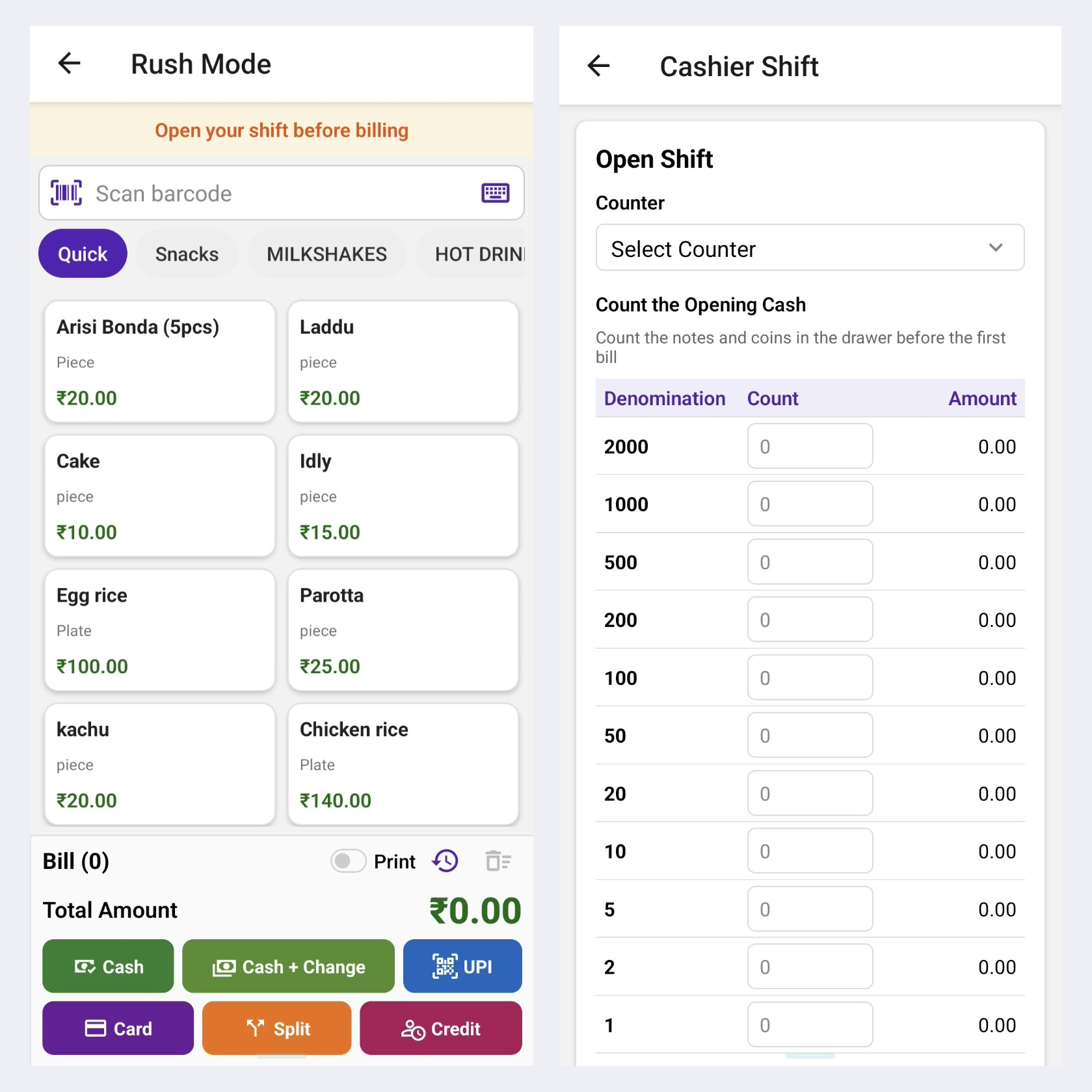
1. Quick Order Taking
Tap products to add them to the order instantly and see the total update in real time.
2. Quick Cash Collection
Collect payment with one tap and complete the order without extra steps.
3. Cash with Change Calculation
Enter the cash received and the balance to return is shown instantly, so there are no counting mistakes.
4. Split Amount Payments
Let customers pay part in cash and part by UPI or card, and the bill is settled in one go.
5. Open a Cashier Shift
Start each shift with the opening cash amount, so every cashier begins with a clear record.
6. Track Every Payment in a Shift
All cash, UPI and card collections are recorded under the running shift, so you always know who collected what.
7. Close the Shift
Enter the cash in hand at closing and compare it with the system total to spot any difference right away.
8. Clear Money Movement
Keep a complete shift-wise record of cash in and out, so your money trail stays accurate and easy to verify.
9. Easy Auto Print
When print is enabled, the bill prints automatically as soon as the payment mode button is pressed, as long as the printer is connected.
Key Highlights
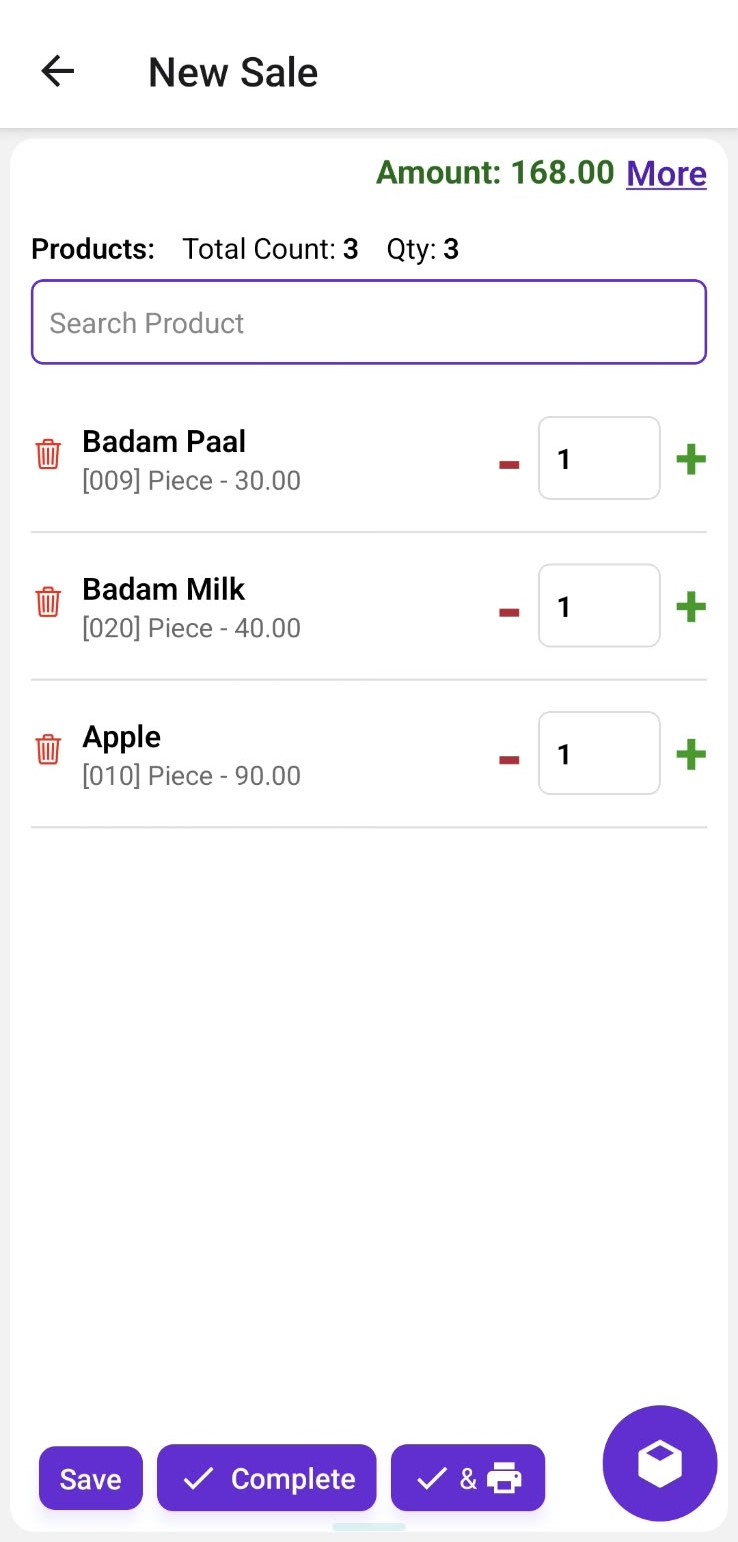
1. Create Sale
Add products to the sale, adjust quantities, and view the total amount in real time.
2. Easy Product Selection
Search and select products quickly while creating a sale.
3. Complete Sale
Save and complete the sale once the customer confirms the purchase.
4. Complete & Print
Complete the sale and print the bill directly from the sale screen.
5. Merge Orders
Select multiple orders and merge them into a single bill for easy billing.
6. Order Management
View existing orders, their amounts, and completion status from the order list.
Workflow
The user creates a sale by selecting products and adjusting their quantities. The total amount is calculated automatically. The sale can be saved, completed, or completed and printed. Multiple existing orders can also be selected and merged into a single bill for convenient billing.



















